
Add Note
This option allows you to add a note to a vehicle. E.g. DO NOT USE, or VOR.
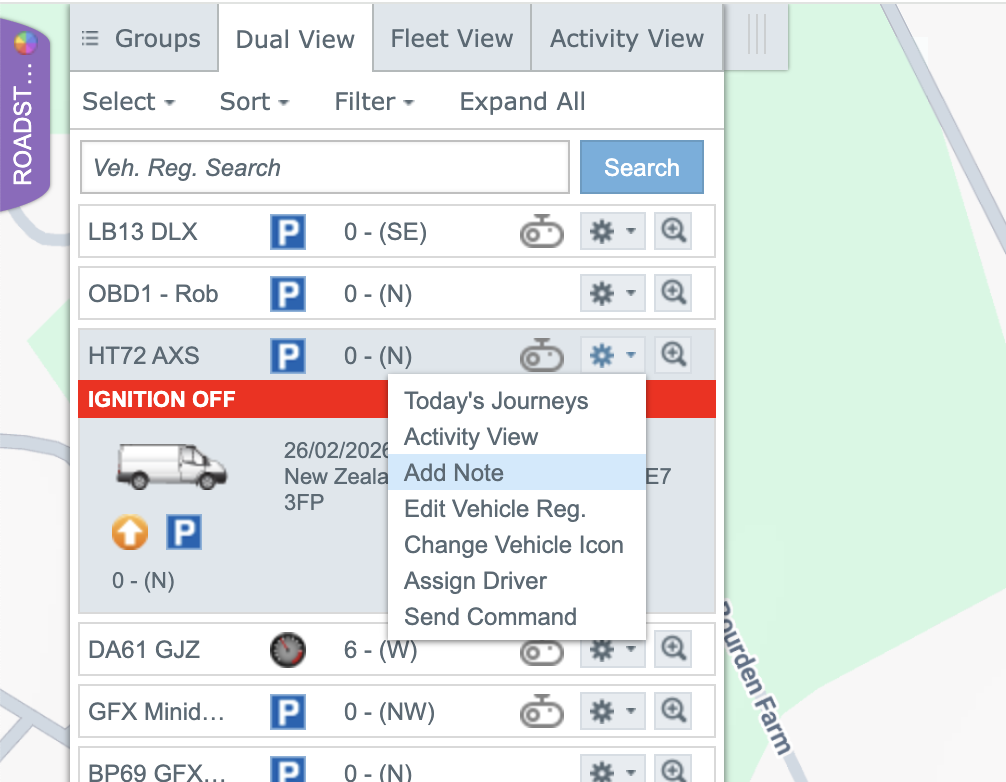
Click on the "Settings" icon against the vehicle in the left menu of the Mapping Page, and select “Add Note”:
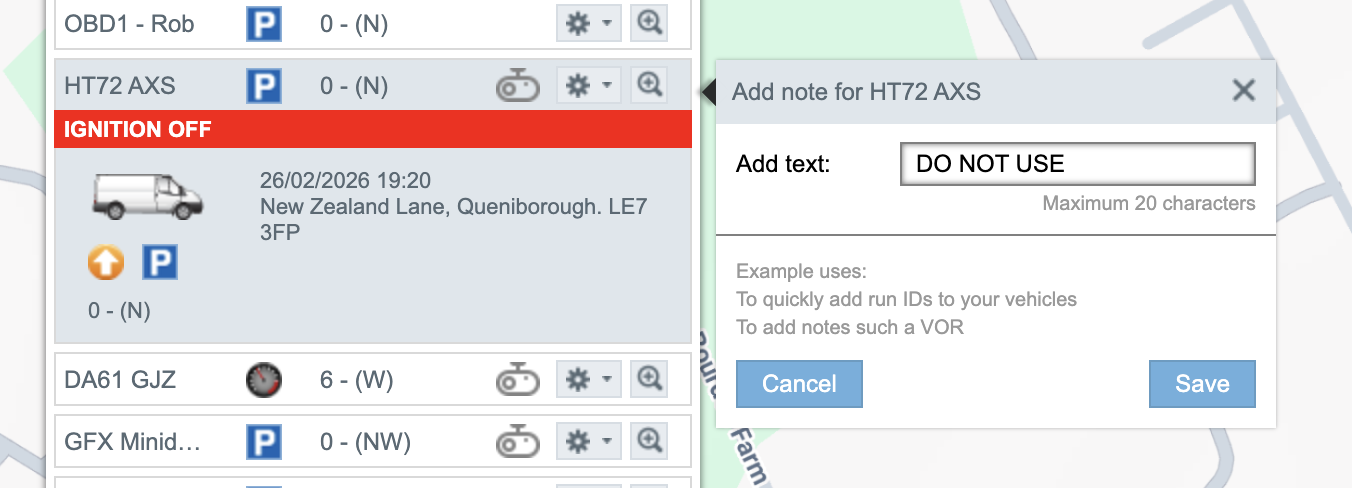
Enter the value you would like to see (e.g. DO NOT USE), and select Save
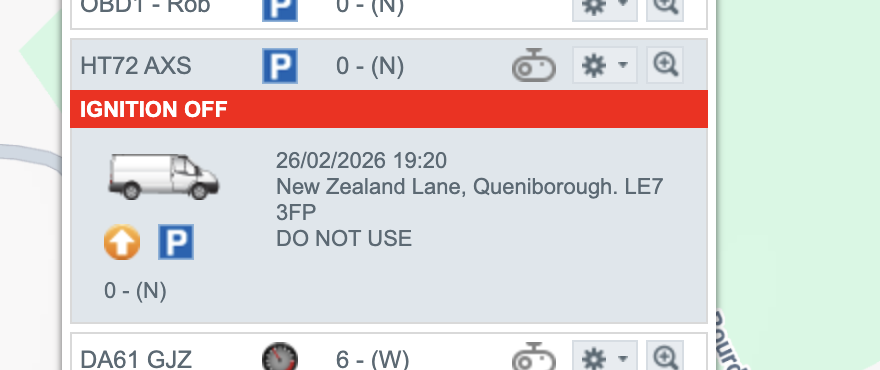
You will see your ‘note’ in the vehicle box of the left menu; and
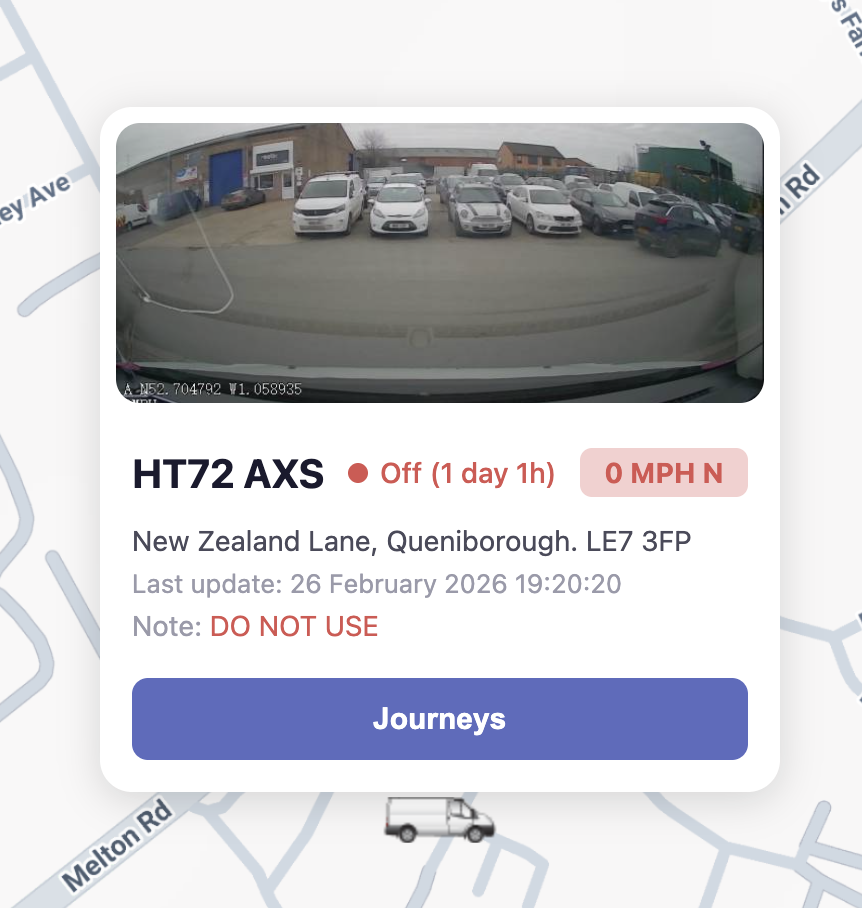
also in red font inside the ‘vehicle tooltip’ on the map:
Notes
- The ‘Note’ can be deleted/removed by selecting Edit, deleting the entered value, and selecting Save.
- The Note field is an overwrite-only, non-audited attribute. Changes are not logged and previous values are not retained.